Guide: P2P features
Exchange comparison, ads table, and arbitrage scenarios
The P2P section is available with a P2P Scanner or Premium subscription. It aggregates P2P ads from multiple exchanges (Binance, Bybit, HTX, KuCoin, etc.): comparison of best buy and sell prices by exchange, an ads table with filters by payment method, and two arbitrage scenarios - “best” and “safe”. Below is a step-by-step description.
P2P exchange comparison
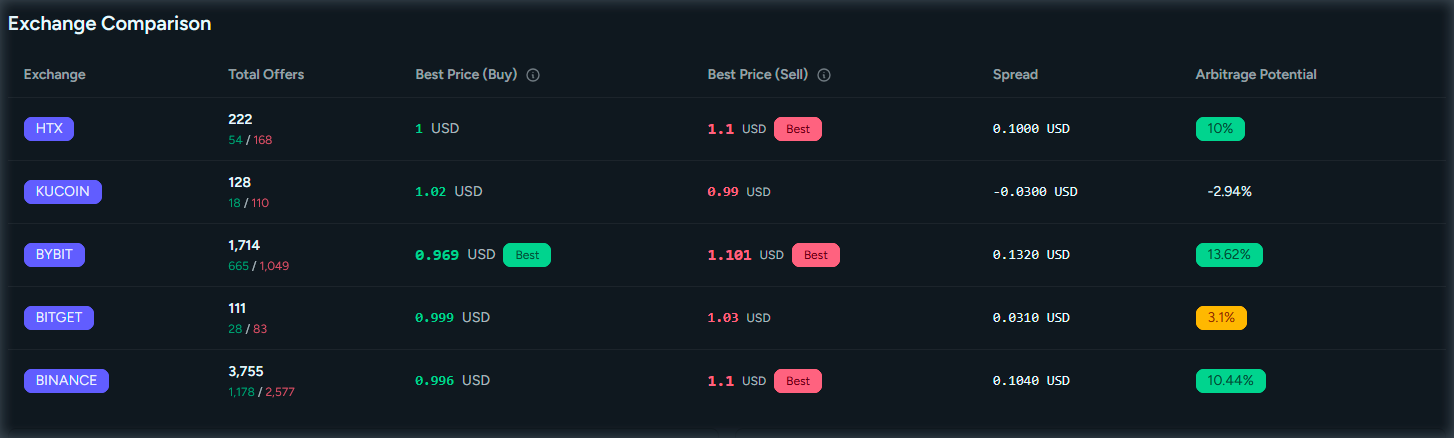
At the top of the P2P page there is an exchange comparison table: for the selected pair (e.g. USDT/RUB or BTC/USDT) each exchange shows the best buy price, best sell price, and spread. You can see where it is better to buy or sell and what arbitrage potential exists between exchanges.
How to use: open the P2P section from the menu. Select the cryptocurrency (coin) and fiat currency in the filters at the top. The comparison table will update: columns are exchanges, rows show best buy and sell prices and spread in percent. Compare rates before trading; a large spread may indicate arbitrage opportunity or risk (suspicious ads).
Ads table
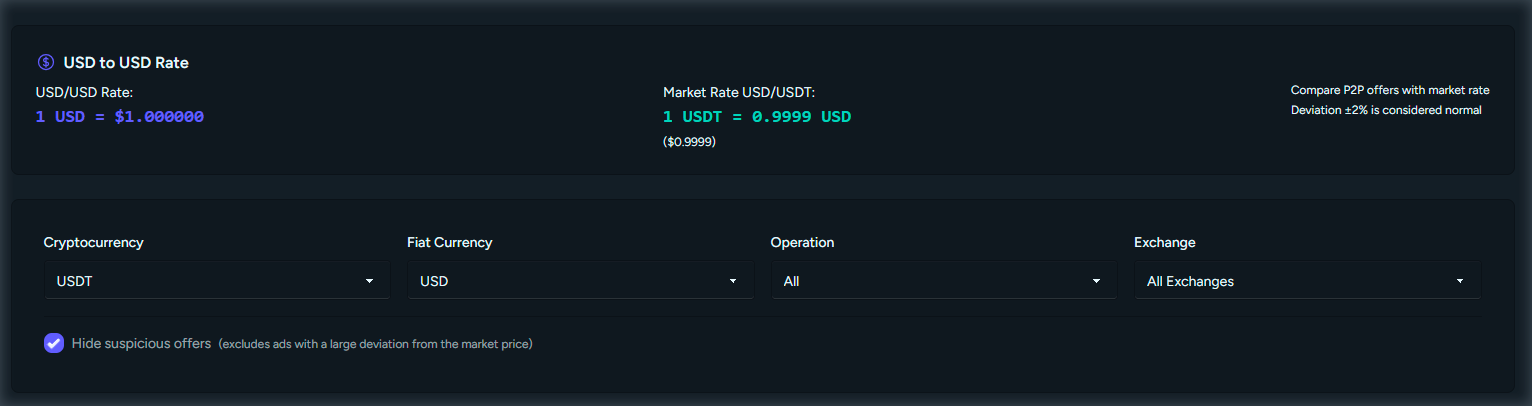
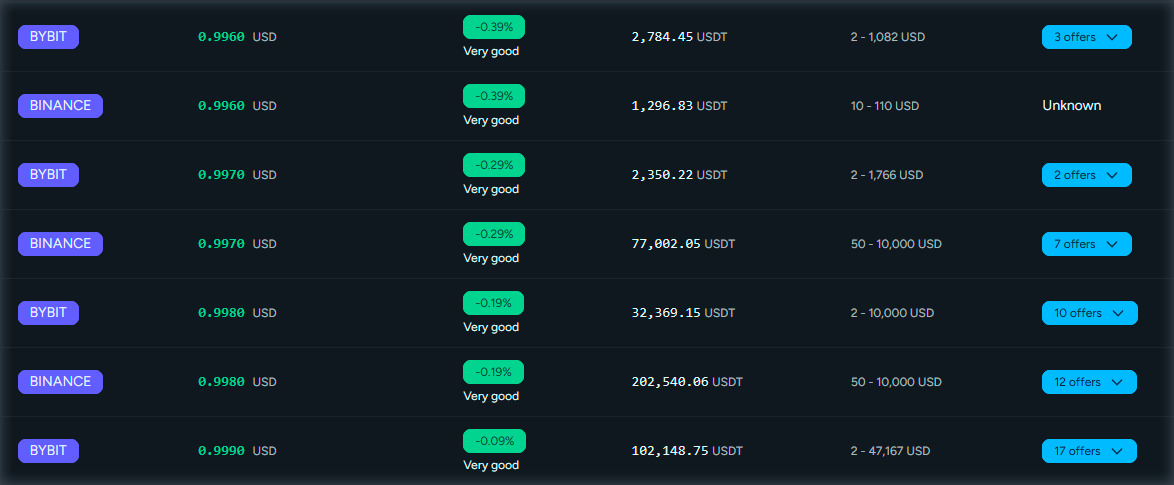
Below the exchange comparison is the P2P ads table: a list of ads with exchange, direction (buy/sell), price, limits, payment methods, and counterparty. You can filter by exchange, direction, and payment methods, and hide suspicious ads that deviate strongly from the market rate.
How to use: set the pair (coin and fiat) in the filters. Optionally select exchange, direction (buy or sell), and payment methods (e.g. bank transfer, cards). To filter out risky ads, enable the option to hide suspicious ads - ads with prices far from the market average will be hidden. In the table you can view prices, limits, and volumes; go to the exchange to complete the trade if needed.
Best and safe arbitrage options
The P2P section offers two arbitrage scenarios. “Best option” is the “buy on exchange A - sell on exchange B” chain with the maximum spread; it may include suspicious ads. “Safe option” is a similar chain using only ads that do not deviate strongly from the market rate, reducing the risk of fraud and bad terms.
How to use: select the pair (coin and fiat) in the filters. The “Best option” and “Safe option” blocks show: which exchange to buy on, which to sell on, at what price, and the potential profit in percent. Compare both: if “best” is much higher than “safe”, the best chain likely includes risky ads. For real trades, prefer the safe scenario and double-check ads on the exchanges.

Access to the P2P section
Exchange comparison, ads table, and arbitrage scenarios are available with a P2P Scanner or Premium subscription. You can subscribe on the pricing page.
View pricing